Evaluating & deploying
Want to run it right now? Get started is the command-by-command fast path. This page is for the questions that come before and after that: what a deployment needs, what it costs, what you can change, and how it is upgraded and removed. The Quick Start Guide remains the authoritative walkthrough, and the official AWS Solutions Guidance is a one-page summary of the benefits and reference architecture to share while you evaluate.
What you need
- Recommended path: a container runtime (Docker, Finch, Podman, or Colima) and AWS credentials. The dev container ships everything else — Python, Node.js, CDK, kubectl, and the AWS CLI at pinned versions — so you skip dependency resolution entirely.
- Host installs are the advanced path. GCO pins exact versions of many Python packages; the Quick Start's host-install section covers the clean-virtualenv route and its known caveats.
- An AWS account you can create infrastructure in. One deployment is one
AWS partition (
aws,aws-cn, oraws-us-gov); any number of Regions inside it.
The lifecycle
| Phase | What happens | Command |
|---|---|---|
| Deploy | One CDK app stands up the global control plane and every Region in cdk.json; CDK bootstrap is automatic. Billable resources exist from here. Helm charts converge asynchronously afterwards (10–30+ minutes) and never roll back the cluster. |
gco stacks deploy-all -y |
| Operate | Submit jobs by SQS, REST API, or the global queue; deploy inference endpoints; watch the fleet. | gco jobs …, gco inference …, gco status |
| Grow or shrink | Add or remove workload Regions in cdk.json and redeploy — down to zero Regions, which leaves only the control plane running. |
gco stacks regions add <region> |
| Upgrade | Move the checkout, the local install, the dev image, and every deployed stack to the latest tagged release in one pass. The regional stacks are recreated, so the procedure starts with backing regional data up to the cluster-shared bucket — read docs/UPGRADING.md first. | gco upgrade |
| Tear down | Destroy every stack in dependency order with best-effort cleanup of the resources CloudFormation leaves behind. | gco stacks destroy-all -y |
Prefer to let an agent drive? gco autopilot launches Claude Code by
default; gco autopilot --engine codex launches OpenAI Codex and
gco autopilot --engine opencode launches OpenCode. All three run on
Amazon Bedrock with the GCO MCP server and recommended companions wired in —
so you can deploy, check capacity, and submit jobs conversationally. See
docs/AUTOPILOT.md.
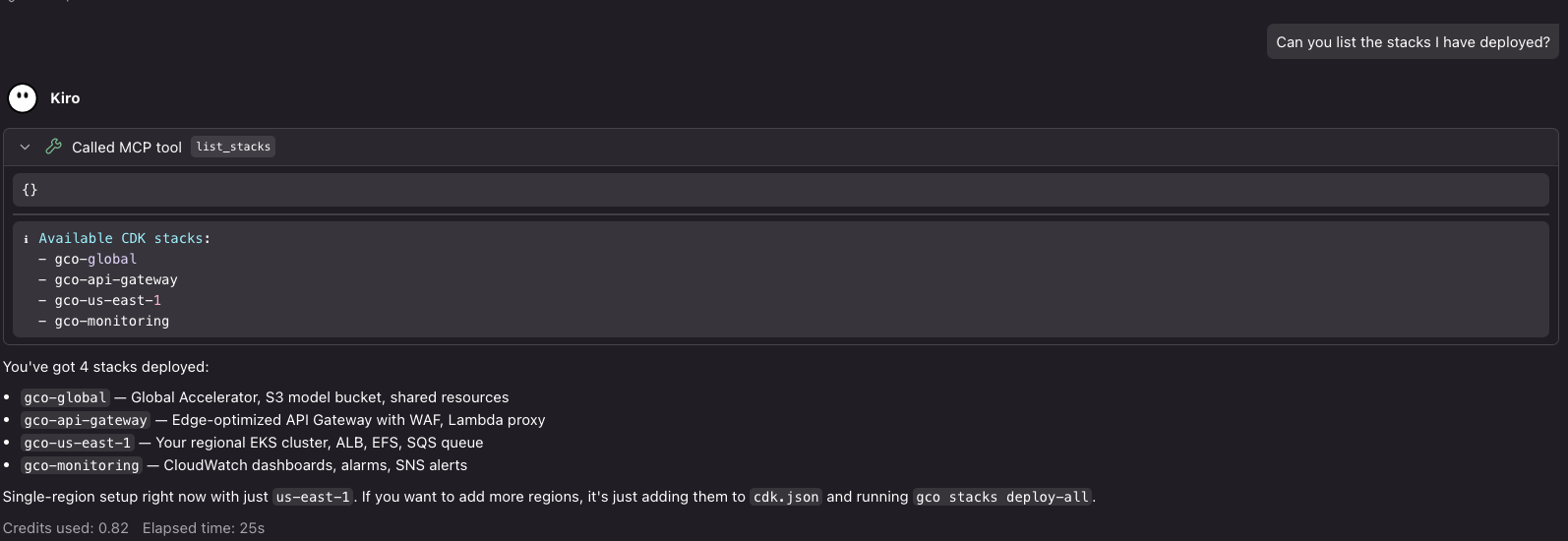
What a deployed platform looks like from an agent session: listing the CDK stacks via the GCO MCP server.
What it costs
The README's sample cost table breaks down a single-region deployment with default settings: a fixed platform cost dominated by the EKS cluster, NAT gateways, the internal ALB, Global Accelerator and CloudWatch, with GPU instances the real driver of spend — an on-demand instance runs around three times the spot price of the same type. Optional services (FSx, Valkey, Aurora, the analytics environment) add cost only when enabled, and multi-region deployments scale linearly. The table carries its own pricing date; read the numbers there rather than here.
What you can customize
Deployment configuration is a single file: cdk.json defines the regions,
features, and thresholds. The
Customization Guide
is the reference for all of it — deployment regions (any SDK-known region in
one partition, no count limit), endpoint access modes, GPU NodePool instance
types and spot preferences, security policy toggles, Helm chart
configuration, and the optional storage and data services. Most optional
features follow the same pattern: off by default, enabled with one toggle,
zero cost until enabled.
Where to go next
- QUICKSTART.md — the full step-by-step walkthrough
- docs/CUSTOMIZATION.md — every knob, from regions to NodePools to feature toggles
- docs/CLI.md — the complete command reference
- What you can run — the workload catalog this platform serves