Global Capacity Orchestrator
One API. Every Accelerator. Any Region.
GCO turns a fleet of EKS Auto Mode clusters into one accelerated-compute platform. You hand it a Kubernetes manifest; it validates the manifest, finds a Region with capacity, provisions matching NVIDIA GPU, AWS Trainium, AWS Inferentia, or CPU (amd64 and arm64/Graviton) nodes, runs the workload, and keeps the outputs after the pods are gone. Inference endpoints deploy to every configured Region with one command, and an AI agent can drive all of it for you through the project's own MCP server.
Try it
Five commands take you from a clean machine to a job running on GCO. AWS charges start at the third one, and the last one removes everything again.
git clone https://github.com/aws-solutions-library-samples/global-capacity-orchestrator-on-aws.git && cd global-capacity-orchestrator-on-aws
./scripts/setup-dev-alias.sh && source ~/.zshrc                   # dev container + `gco` shell function (or ~/.bashrc — the script says which)
gco stacks deploy-all -y                                          # billable from here: global control plane + every Region in cdk.json
gco jobs submit-sqs examples/simple-job.yaml --region us-east-1   # your first job
gco stacks destroy-all -y                                         # tear it all down
The Get started page walks through each step, shows what success looks like, and points at the fixes when it does not.
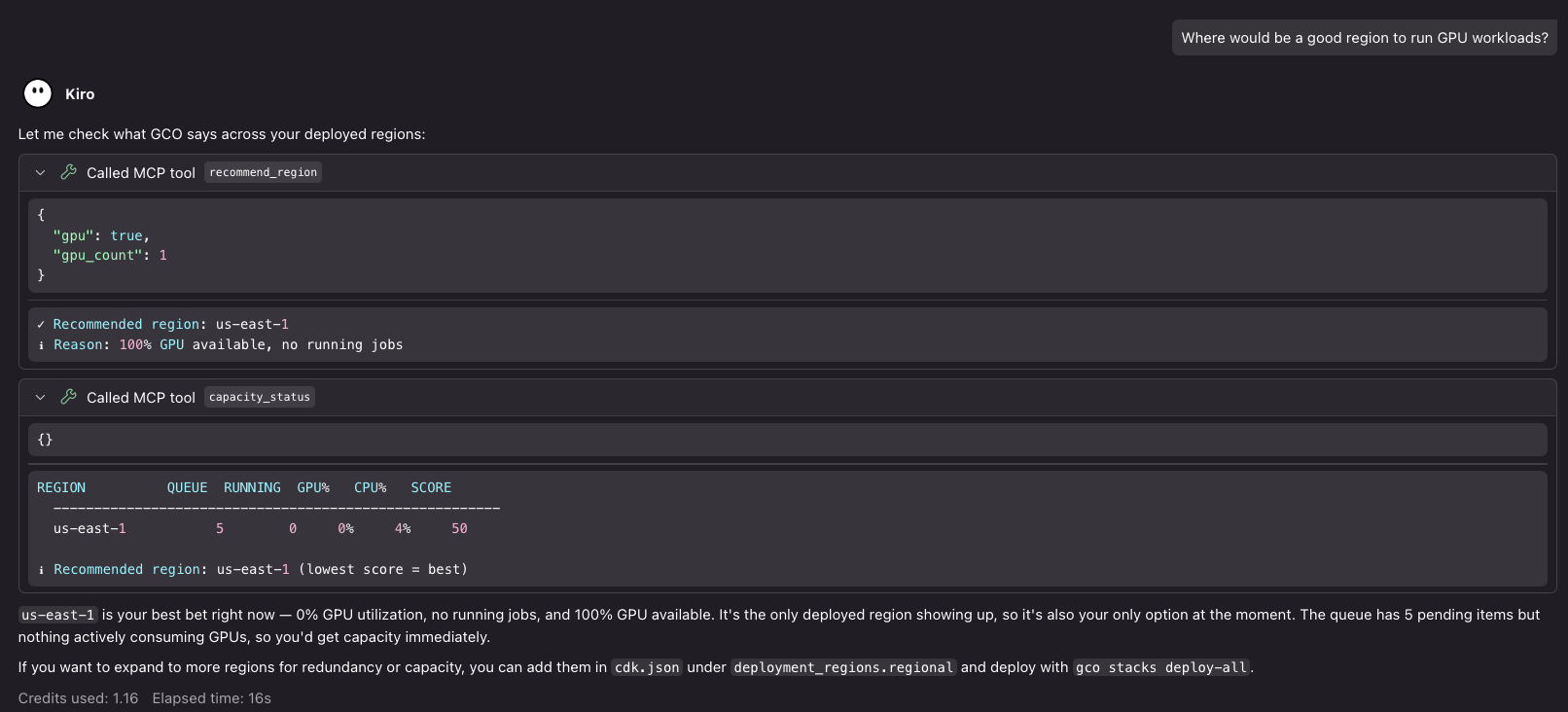
Or just ask: the GCO MCP server answering a GPU-capacity question inside an
AI-powered IDE. gco autopilot sets this up for Claude Code, OpenAI Codex,
or OpenCode in one command.
Is GCO for you?
GCO fits teams running accelerated workloads — LLM training and inference, batch ML, HPC, and everyday CPU jobs — who want:
- Capacity-aware placement instead of checking each Region by hand: spot
placement scores, spot price history, capacity reservations, and Capacity
Blocks behind
gco capacity, with auto-Region submission built on them. - One IAM-authenticated API for every Region, with health-based failover
through Global Accelerator in the commercial
awspartition and IAM-authenticated regional APIs inaws-cnandaws-us-gov. No kubeconfig distribution. - Inference endpoints in every Region from one command — vLLM, SGLang, Triton — with rolling updates, scaling, canaries, and model weights synced from a central S3 bucket.
- Outputs that outlive the pod: shared EFS by default, FSx for Lustre and per-Region S3 buckets when you need them.
- An agent-first front door:
gco autopilotlaunches Claude Code on Amazon Bedrock (gco autopilot --engine codexlaunches OpenAI Codex andgco autopilot --engine opencodelaunches OpenCode), grounded by the GCO MCP server and recommended companion MCPs.
The README's Why GCO? has the side-by-side comparison with running clusters yourself, and Core Concepts explains the ideas behind it.
What it costs
A single-Region deployment with default settings carries roughly $210/month of fixed platform cost (EKS control plane, NAT gateways, the internal ALB, Global Accelerator, CloudWatch); GPU instances dominate real spend and scale with usage, and multi-Region deployments scale linearly. Optional add-ons cost nothing until you enable them. The README's sample cost table carries the itemized numbers and their pricing date.
Where to go next
| You are… | Start with |
|---|---|
| Ready to run it | Get started — the fast path, with the point where billing begins marked |
| Evaluating it, or planning a real deployment | Evaluating & deploying — requirements, costs, customization, upgrades |
| Wondering what workloads it supports | What you can run — schedulers, training, inference, observability |
| Trying to understand the architecture | How it works — the control plane, a Region, a job's path, the security posture |
| A developer exploring the codebase | Repo tour and How we build & test |
| Ready to contribute or fork | Contributing |
| Looking for the AWS Solutions Library listing | Official AWS Solutions Guidance — the overview, benefits, and reference architecture AWS publishes for GCO |
Every page here is a short orientation over the authoritative documentation on GitHub — the README and the documentation index — so the deep material is always one click away and never duplicated here. New to Kubernetes itself? The Learning Path adds a primer and role-based tracks. Every trade-off in the project is resolved against ten prioritized tenets, beginning with Protect Workloads, Data, and Accounts.